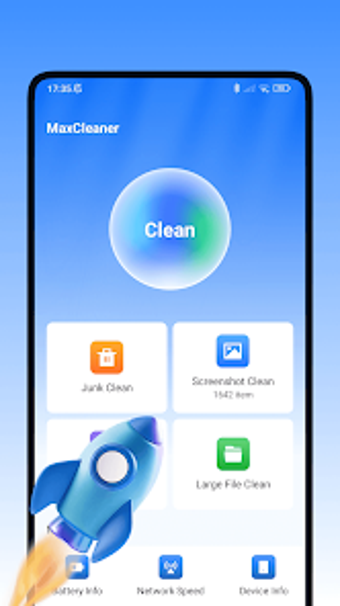
MaxCleaner: focused storage and battery hygiene for Android phones
MaxCleaner scans for hidden cache, obsolete APKs, and bulky media, then offers organized removal and battery metrics in a single workflow. Created by C-Agro-pp for Android, the app pairs a one-tap scanning engine with specialised screenshot and large-file tools to reclaim space quickly. It targets users who need straightforward maintenance rather than deep system control, offering a small app footprint and an interface designed for casual device owners.
What the tool actually does for device storage
MaxCleaner identifies three concrete storage targets: system cache and residual files, obsolete APK packages, and large or hidden media. The scanning engine presents those categories after a one-tap scan, and the Screenshot Manager groups captures for rapid review. This workflow maps directly to common storage problems on mobile devices and gives the user discrete lists to act on, rather than an undifferentiated file dump.
How it affects system resources during operation
The app keeps its system footprint low while scanning, as the design emphasises lightweight operation. That matches the developer's claim about a small installer and runtime impact, so scans can run on typical Android hardware without heavy CPU or RAM spikes. Background usage is minimal because the core functionality is an on-demand scan rather than continuous monitoring.
Safety and permission model for file operations
MaxCleaner removes only files identified by its scanner and shows categories before deletion, which reduces the risk of accidental system changes. The tool targets cache, residual data, and APKs; those are safe to delete in most cases. The battery information module reads device telemetry to report level and temperature without rewriting system settings.
Ease of use and who needs technical knowledge
The interface favors straightforward choices over advanced controls, making the app suitable for non-technical users who want quick maintenance. The workflow is guided: run a scan, review grouped results, then confirm deletions. Users seeking granular options or advanced filtering may find the app limited, while casual owners gain a simple path to reclaiming space.
Practical judgement on reliability and audience fit
MaxCleaner suits Android owners who prefer low-effort maintenance and clear, categorized cleanup results; it performs reliably for periodic housekeeping with a modest system impact. The trade-off is limited advanced controls for power users who need deeper filtering or custom retention rules. For routine storage upkeep on everyday devices, the app is a solid fit. Recommended.